Latest Articles

Stay up to date with the latest trends and news from our engineering teams.

AI for Business: Where to Start and How It Pays Off
8/10/2026

AI for Business: Where to Start and How It Pays Off

AI is no longer a luxury — it's a competitive edge Customers expect instant replies, a personal touch and round-the-clock service. Hiring more staff to deliver that is slow and expensive. This is exactly where artificial intelligence pays off: it saves time, reduces errors and drives more sales. What AI can do for your business 24/7 AI chatbot: answers instantly on your website and Telegram, captures orders and hands only qualified leads to your team. Document processing: automatically reads, validates and files contracts, invoices and applications. Sales automation: segmentation, automated messages and follow-ups so no lead slips through. Analytics & forecasting: turns sales, inventory and customer behavior into clear decisions. Content & translation: fast, multilingual product descriptions and marketing copy. Where to start You don't need a big budget. We usually start with one clear problem — such as a chatbot for your most common questions. A working solution ships in 1–2 weeks, results are measured, then we scale. Why OneSystem We don't just plug in an AI model — we integrate it into your workflow: CRM, Telegram, payments and website. Have an existing system? We build on top of it. Starting fresh? We build from scratch. As a nearshore engineering team, you get senior talent at a competitive rate. Let's talk about your project In a free consultation we'll pinpoint where AI delivers the most value for you. Get in touch at onesystem.uz and we'll turn your idea into a working product.

Read article →
What Is IT Outsourcing — When and Why It Pays Off for Business
8/1/2026

What Is IT Outsourcing — When and Why It Pays Off for Business

IT outsourcing means handing software development, technical support, and IT infrastructure to an external professional team. Most companies worldwide outsource part of their IT tasks. Why? What does an in-house team really cost? The true cost of one mid-level developer far exceeds the salary: taxes, workspace, equipment, vacations, sick leave, training. Add recruiting (2–3 months of searching) and the risk of them leaving. For small and medium businesses, a full IT department is a heavy burden. What does outsourcing give you? — A ready team — backend, frontend, mobile, design, QA — instantly, no hiring; — 40–60% lower costs — you pay only for work done; — Speed — the project starts today, not someday; — Experience — the team brings solutions refined across dozens of projects; — Flexibility — the team scales up when the project grows and down when it shrinks. When outsourcing, and when in-house? Outsourcing fits: project-based work (websites, apps, systems), periodic needs, tech support, MVPs, and startups. In-house fits: when IT is your core product and you need a large team daily. Many companies choose a mixed model: a core in-house, the rest outsourced. Outsourcing with OneSystem: a contract, fixed timelines and price, weekly reports, NDA, and the code belongs to you. We work with clients in Uzbekistan, Europe, and the US. Put your IT tasks in reliable hands — book a free consultation at onesystem.uz.

Read article →
QR Menu for Restaurants & Cafes — Digital Menu Development
7/23/2026

QR Menu for Restaurants & Cafes — Digital Menu Development

What a paper menu really costs Paper menus wear out, get dirty, and every price change means reprinting — money and time, every time. Add one dish or let a supplier raise a price, and the whole run goes back to the printer. Meanwhile the floor is working from folders with the old prices, and the waiter apologises at every table. With a QR menu, guests scan the code on the table and open a beautiful digital menu on their phone. Changing a price takes one minute: open the panel before the evening shift, edit the number, done. No printing, no waiting, no delivery of a new run. What does a QR menu give a restaurant? Savings — no printing; prices and dishes update anytime; Beautiful presentation — every dish with a photo and description in an appetizing design; Multilingual — local languages plus English, so foreign guests order with ease; Stop-list — a sold-out dish hides from the menu in one click; Promotions — dish of the day and combos pinned to the top; Statistics — you see which dishes get viewed most. What changes on the floor In practice two things make most of the difference. The first is the stop-list. The moment the kitchen runs out, the dish disappears from the menu — so a guest never picks something unavailable and never hears "sorry, we're out of that". That is both the guest's mood and the waiter's time. The second is photography. Photographing every dish is expensive in print and free on a screen. The guest sees the dish, reads what is in it and how big the portion is, and doesn't need the waiter to explain. With first-time guests and tourists the effect is obvious: choosing gets much easier. The third benefit is the one nobody expects — statistics. Which section gets opened most, which dish gets viewed but not ordered: that is data a paper menu simply cannot give you, and it is a solid basis for rebuilding the menu later. Even stronger with ordering Beyond a view-only menu, we build versions that take orders: guests pick dishes and send the order to the waiter or straight to the kitchen. Service speeds up, mistakes drop, table turnover grows. For delivery, we connect online payments — Click, Payme, Uzum. Each table can have its own QR code. The table number is then filled into the order automatically and the waiter doesn't have to work out where it came from. In the kitchen, orders appear on a tablet or screen and move through a simple chain: accepted, cooking, ready. Ordering isn't right for everyone. In a small cafe the waiter comes to the table anyway and a view-only menu is enough. A large room, a summer terrace or a delivery operation is where the ordering module pays for itself. QR menu, website, bot or app — which do you need? These four don't replace each other; each does a different job: A QR menu is for the guest in the room. They are already sitting with you — the job is to make choosing fast and appealing. A website is for the guest who hasn't arrived yet. People look for restaurants on Google and on maps, and a QR menu on its own is not findable in search. For your address, opening hours, photos of the room and bookings, you need a website . A Telegram bot suits delivery and takeaway: catalog, cart, payment and order status in one chat. More on the Telegram bot development page. A mobile app is for regulars and loyalty programmes, with push notifications to remind them of a promotion. For most restaurants a sensible order is: the QR menu first, then a bot or website for delivery, and only then — once you actually have a base of regulars — an app. What to prepare before digitising the menu The technical part is quick; content takes the time. Prepare this up front: Menu structure: the list of sections and the order they appear in. Whatever guests look for most belongs at the top. The dish list: name, ingredients, portion size or weight, price. If a dish comes in small and large, those are separate entries. Photos: one angle, one background, one lighting setup. You don't have to shoot everything at once — start with your best sellers. Translations: names and descriptions in the languages you need. For local dishes, a one-line explanation helps a foreign guest enormously. An owner: who keeps prices and the stop-list current — the manager or the head of the kitchen. Where the code goes: table tent, window ledge, entrance door, receipt, delivery packaging. Photography is the longest part The whole effect of a digital menu rests on the photos. Shots taken at different times, on different phones and against different backgrounds make the menu look messy — a worse impression than the paper version it replaced. If you can't shoot every dish to the same standard, it is better to put photos on part of the menu and present the rest as clean text. How the project runs Structure: we agree the sections, dishes and languages. Design: the menu is styled to match the restaurant — colours, typography, logo. Development: the menu, the admin panel and, if needed, the ordering and payment module. Filling and testing: we load the dishes, check on real phones and prepare the QR codes. Launch: you place the codes on the tables, we train your team on the panel. Common mistakes A PDF used as a menu: the guest has to pinch and zoom to read it. That is not a QR menu, that is scanned paper. Too many sections: twenty categories look endless on a phone screen. Sections need merging. Heavy photos: unprocessed full-size images load slowly on a weak connection, and guests don't wait. A code that is too small or behind glossy film: it simply won't scan. Size and placement are worth testing first. Nobody updating it: without an owner, a digital menu goes stale exactly like a printed one. Dropping paper entirely: keep a few copies for the guest with no smartphone or a dead battery. Timeline and price? A simple QR menu is ready in 3–5 days. With ordering and payments — 1–2 weeks. The price depends on scope — there's an affordable plan even for a small cafe. We confirm the exact timeline and budget once we have seen the size of your menu and the features you need. As order volume grows, the menu can be connected to a CRM system , so the guest base, order history and reports all collect in one place. Frequently asked questions Does the guest need to install an app? No. The menu opens in the phone's normal browser — scanning the code is all it takes. Can I change prices myself? Yes. The admin panel lets you manage prices, dishes, photos and the stop-list, and we train you on it. How many languages can the menu have? Usually Uzbek, Russian and English; other languages can be added when needed. What if the internet in the restaurant is slow? The menu opens on the guest's own phone, over their mobile connection. We compress the photos and keep the page light so it opens even on a weak signal. Can payments be connected for delivery? Yes. We work with Click, Payme and Uzum — the guest pays for the order online. Is there support after launch? Yes. A warranty period follows delivery, during which fixes are free. Ongoing technical support is available after that. Digitise your menu today Digitize your restaurant's menu today — leave a request at onesystem.uz and we'll show you a free demo sample and help you pick the option that fits your menu.

Read article →
Telegram Shop Bot Development — Automate Sales 24/7
7/21/2026

Telegram Shop Bot Development — Automate Sales 24/7

Where Instagram orders go missing Writing down orders by hand, replying to every customer personally, missing late-night messages — sound familiar? It works at first. Then the volume grows and the same questions come back every day: how much is it, what sizes do you have, what does delivery cost. Your salesperson spends the day answering them, while a customer who was ready to buy gets tired of waiting and orders somewhere else. A Telegram shop bot takes over the repetitive half of that work: the customer opens the catalog, chooses, enters an address and pays — you just ship the order. And it works exactly the same at eleven at night, on a public holiday, and at the moment nobody is looking at the phone. What changes in a normal working day The difference is easier to see in the morning routine than in a feature list. After launch you open a list of overnight orders instead of a pile of unanswered messages. Each order already carries the name, phone number, address, chosen items and payment status — nothing to copy into a notebook, nothing to dig out of a chat, no need to ask "so which one did you want again?". During the day your team only handles what genuinely needs a person: a non-standard size, a wholesale enquiry, a return. Everything else — catalog, prices, availability, delivery terms, order status — sits with the bot. How does a shop bot work? From the customer's side the path is simple. They open the bot, browse products by category, add items to the cart, enter a delivery address and pay online — Payme, Click and Uzum, or international payment methods. The order lands instantly with you and your admins, while the customer automatically receives status updates: accepted, being packed, on the way, delivered. There is no registration, no password and no confirmation code — Telegram already knows the user. That is exactly what makes a bot faster than a website: from the first tap to the cart takes seconds. The other half of the bot — the admin panel The least visible but most used part is the admin panel. You manage products, prices and orders through a straightforward panel: add an item, update a price, hide something that sold out, move an order to the next status. Changes appear in the bot immediately, with no developer involved. The panel also solves a quieter problem: staff leave, but the customer base and order history stay in the system. Features that grow sales Broadcasts: send promos and new arrivals to thousands of subscribers in one click. This is the bot's biggest advantage — the audience is already yours and you don't pay to reach it again. Referral system: customers invite friends and earn bonuses. The bot counts the referrals itself, so nothing is tracked by hand. Promo codes and discounts: the bot manages campaigns itself — validity dates, limits and how many times a code has been used. Statistics: what sells best, which ads work, and where customers abandon the cart — all visible. CRM and Google Sheets integration: orders flow into your records automatically. amoCRM, Bitrix24 or 1C can be connected when needed. You don't need all of it on day one. It usually works better to launch a core version — catalog, cart, payment, admin panel — and add the rest once real statistics show what matters. Why a bot before a website or app? Customers don't need to install anything — Telegram is already on their phone. Launch is fast and affordable, and results show within the first week. When you later add a website or app, the bot works with them as one system: prices and stock live in one place and orders arrive in a single flow. The three channels have different strengths and they do not replace each other: The bot is the fastest way to work with an audience you already have: someone coming from Instagram, a channel or an ad becomes a buyer in one tap. A website brings new customers from Google. A bot is not indexed by search engines; a site is. So when you need growth, website development is the next logical step. A mobile app serves regulars: push notifications, loyalty, fast repeat purchases. That step usually comes once the order flow is steady — see mobile app development . What a bot does not solve Worth saying plainly: a bot does not bring you customers by itself. It receives them well and closes the sale, but you still need a traffic source — Instagram, a Telegram channel, advertising or a website. Before launching, you should have an answer to "where will people come from?". What to prepare before the build What usually delays a project is not the code — it's the content. Gather this in advance and development moves noticeably faster: A catalog sheet: product name, category, price, short description, size or colour options, availability. Plain Excel or Google Sheets is enough. Photos: one background, one aspect ratio. Images of different sizes pulled from different sources make the catalog look untidy. Delivery terms: which areas, how long it takes, how the cost is calculated, whether there is a free-delivery threshold. Payment methods: online, cash, card transfer — decide what you need. The documents and conditions required to connect a payment system are set by the provider; we handle the technical integration. Texts: greeting, help, returns and warranty terms. In both languages if the bot runs in Uzbek and Russian. An owner: who answers non-standard questions, and during which hours. How the project runs The work is split into four stages, and you see the result at each one: Conversation design: we write out step by step how the bot talks to a customer — menu structure, buttons, error paths. Development: we build the bot, its admin panel and the integrations you need (payment, delivery, CRM). Testing: exercised against real scenarios so there are no wrong answers or dead ends, with the payment flow checked on a real phone. Launch: we deploy the bot to a server and train your team to run it. A warranty period follows delivery, during which any bugs found are fixed free of charge. New features are scoped separately — many clients stay on a monthly support arrangement. What the service includes The service covers the conversation design, the bot itself, the admin panel, the agreed integrations, choosing and configuring the server, and training your team. Content — product photos and descriptions — normally comes from you, because you know your products better than we do. We help with loading the catalog into the system. Common mistakes A menu that is too deep: if it takes five taps to reach a product, customers never get there. Two levels is a good limit. A catalog without search: past a dozen products, search stops being optional. Stock that is never updated: if a sold-out item stays in the bot, someone pays for it and you have to refund — the most expensive mistake on this list. Overusing broadcasts: several messages a day gets the bot blocked. A subscriber list is built once and cannot be rebuilt. Untested payments: the payment flow has to be walked through with a real card before launch. Orders with no records: if orders only ever live in a chat, there is nothing to analyse a month later. Connecting a CRM system — or at minimum Google Sheets — is worth it. Our experience Sales bots with integrated payments, and complex bots such as Mening Moliyam, are live in our portfolio. We build bots on Python (aiogram) and Node.js, with webhooks and database integration. Frequently asked questions How long does bot development take? A simple information bot takes 3–5 days; a shop or order bot 2–4 weeks. The timeline depends on the conversation design and how many integrations are needed. Can payments be connected to the bot? Yes. We work with Payme, Click and Uzum — the customer pays directly inside the bot. Other payment solutions can be connected for international customers. Does the bot need its own server? Yes, a bot needs a server to stay online. We pick and configure a suitable option as part of the service. Can the bot work in several languages? Yes. Many of our clients run the bot in Uzbek and Russian, and other languages can be added. Can I manage the bot myself? Yes. The admin panel lets you manage products, prices, texts and orders, and we train you on it. Will the bot connect to my existing site? Yes. The bot can sync with your site's product database or your CRM, so prices and stock live in one place. Put your sales on autopilot Which features to start with depends on your order flow, and that is what the free consultation is for. Read more on the Telegram bot development page, or leave a request at onesystem.uz and get an exact quote plus a demo within 24 hours.

Read article →
Business Website Development 2026 — Cost, Timeline & Process
7/20/2026

Business Website Development 2026 — Cost, Timeline & Process

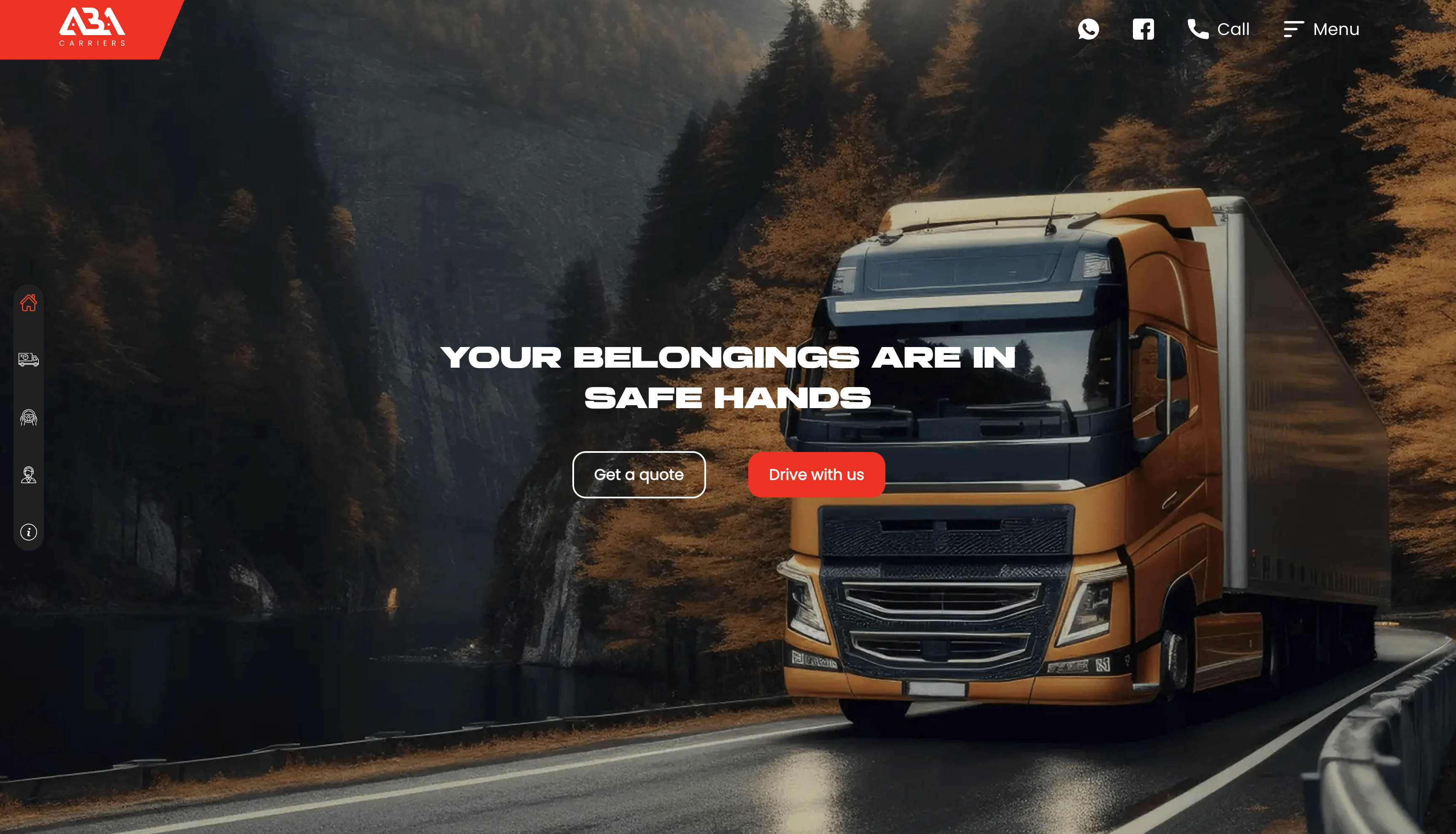
How much does a business website cost, and how long does it take? "How much does a website cost?" — the question we hear most often. The answer depends on the project, but in this article we'll explain honestly what drives the price, how long development takes, and which type of website to choose. A business website is not a cost line, it is a sales channel. Built properly it works at night and on holidays: it shows your product, answers questions and delivers the enquiry to you. So the question to start from is not "which is cheapest" but "which will bring customers". Choose the right type of website This single decision sets most of the budget. There are four main options: Landing page — for selling one product or service. The fastest and most affordable start. If you are running ads, this is exactly where the traffic should go: one goal and no side routes. A landing page typically converts 2–5 times better than an ordinary site. Corporate website — company, services, and portfolio. Builds trust and brand. For a business working with large clients, partners and tenders it is the main document: anyone checking you out opens the website first. Online store — catalog, cart, and online payments. Beyond design you also have to think through stock, delivery and the flow of orders, which makes it the most labour-intensive type. Custom platform — CRM, portal, or SaaS. There is no ready answer; the feature list grows out of your process and is quoted individually. Starting small is often the smarter route: test demand with a landing page first, then grow it into a corporate site or a store. It saves both budget and time. What affects the price? Number of pages, level of custom design, features (payments, accounts, integrations), content preparation, and multilingual support. That's why two "similar-looking" websites can differ in price by 5x. In practice it breaks down like this: Number and type of pages: eight pages on one template and eight individually structured pages are entirely different amounts of work. Design: a template-based solution is faster and cheaper; with custom design every screen is drawn from scratch around your brand. Features: online payment, customer accounts, booking, reports — each is developed and tested separately. Integrations: connecting the site to a CRM system , 1C, a delivery service or Telegram is a stage of its own. Content: who prepares the copy, photos and product descriptions affects both price and schedule. Multiple languages: each extra language means separate pages, meta tags and future updates, not just translation. We always give a fixed quote — no surprise charges mid-project. Typical price ranges in Tashkent are covered in a separate article on website development cost . How long does it take? A landing page — 7–10 days, a corporate website — 2–4 weeks, an online store — 4–8 weeks. You see progress every week. Timelines are measured in approvals, not calendar days. Three things stretch a project most: Late content: without copy and photos, both design and development stall. Slow feedback: if comments on a mockup take a week, the deadline moves by the same week. Requirements that change mid-flight: every "let's add one more section" is new scope. That is why we agree the stages up front and only move to the next one after the previous is approved. How the project runs, stage by stage 1. Discovery. We study your business, customers and competitors, and define the site's main goal — enquiries, calls or online sales. 2. Structure. We agree which pages are needed, in what order, and what blocks each contains. Changes are cheapest at this stage. 3. Design. You see the page mockups in mobile and desktop versions. Development starts once you approve them. 4. Development. The design becomes a working site: frontend, backend and admin panel. You follow progress on a test address. 5. Testing and launch. Tested on every device, deployed to your domain, analytics connected and the site submitted to Google. 6. Handover and support. We walk you through the admin panel and train you on it; during the warranty period any bugs found are fixed free of charge. What to prepare before you start Preparation can pull weeks out of a project: one primary goal for the site; a list of services or products with short descriptions; logo, brand colours and any photography you already have; 3–5 sites you like and what exactly you liked about them; who you are writing for: the customer profile and the language (Uzbek, Russian, English); who will run the site and what gets added to it most often. Checking a proposal: the questions to ask Is the price fixed, and what is included in it? How many design mockups and how many revisions are covered? Is there an admin panel, and can I use it on my own? Are technical SEO and speed optimisation part of the work? In whose name are the domain and hosting registered? How long is the warranty period and what does it cover? Who keeps the code and access credentials when the project ends? With those answers in writing, proposals become comparable — otherwise you are comparing promises rather than numbers. What happens after the site is delivered Launch is a beginning, not a finish line. For a site to produce results, three things are needed at minimum: Content: a new service, case study or article — a living site climbs faster in search. Analytics: if you do not know which page brings enquiries, you cannot know what to improve. Technical care: updates, backups and keeping an eye on speed. Many clients pick their next step after the website: a Telegram bot to automate orders, or a mobile app for repeat customers. Either can run on the same database as the site. Why OneSystem? Our portfolio includes live websites for US and international clients (Aba Carriers, Yolgo Travel, AIRIUM). Modern stack (React, Next.js, Django), SEO-ready code, and post-launch support. We work remotely worldwide. More about the service on our website development page: the stages, what is included and the questions clients ask most. Frequently asked questions How is the price calculated? By the number of pages, design complexity and the features you need. Tell us the requirements and we send a firm quote within one business day. Which type of site should I start with? If the goal is enquiries from advertising, a landing page is enough. If you need company credibility and a list of services, a corporate site. If you plan to sell online, an online store. Can I update the site myself after handover? Yes. Every site ships with an admin panel and we train you on it — you add text, images and news yourself. In whose name are the domain and hosting registered? In yours. Choosing a domain and setting up hosting is part of the service. Will the site appear on Google? The technical SEO foundation — speed, mobile-friendliness, meta tags and sitemap — is done on every project. For consistently high rankings there is a separate SEO service. Can I order from another country? Yes, we work remotely worldwide — communication runs over Telegram, email and video calls. Next step Get an exact quote within 1 day — leave a request at onesystem.uz or message @OneSystem_Admin on Telegram. The consultation is free.

Read article →
Web Development & UI/UX Design Agency for US & European Clients
7/18/2026

Web Development & UI/UX Design Agency for US & European Clients

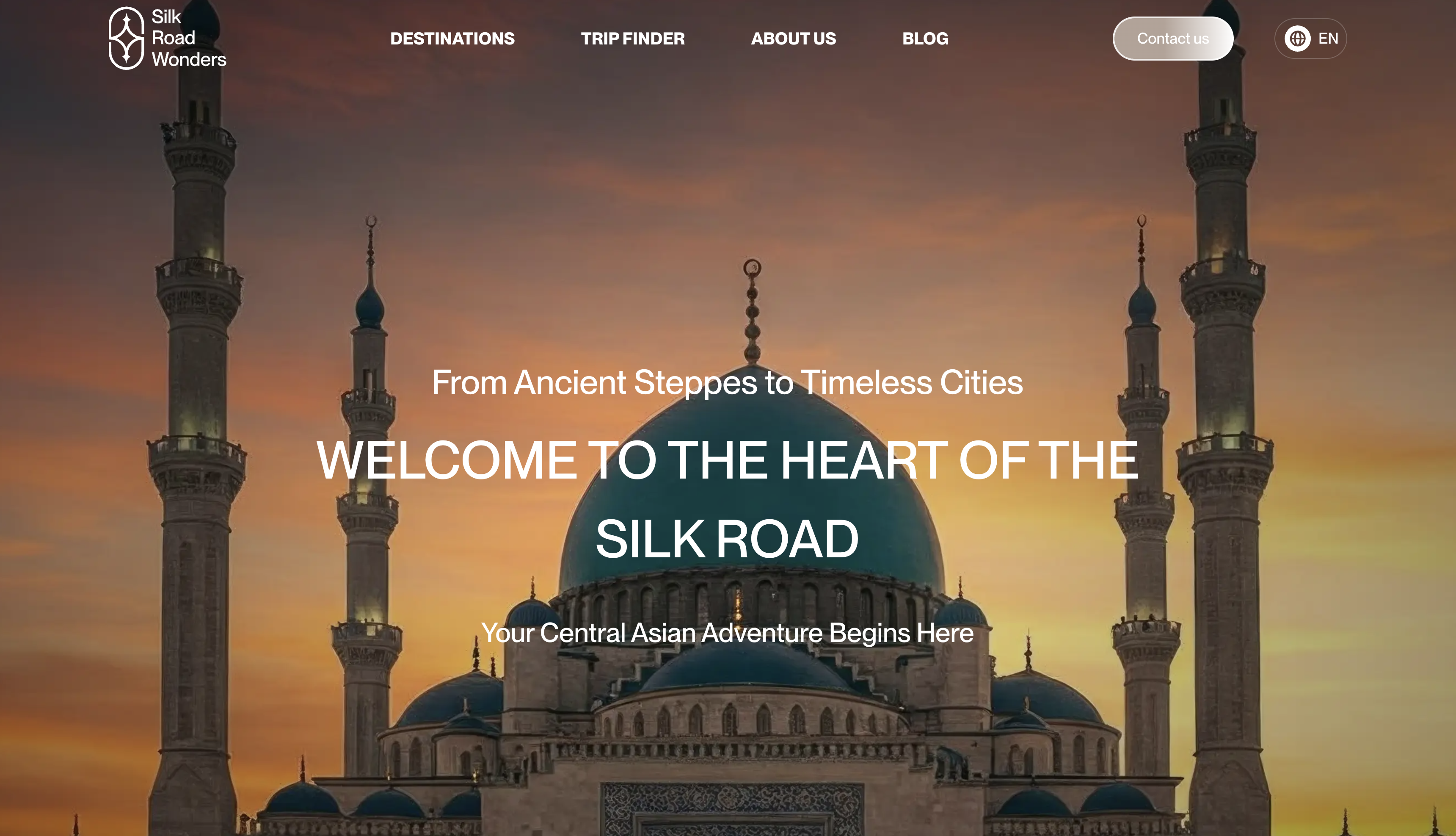
Hiring a web agency in the US or Western Europe often means paying premium hourly rates — for work that a skilled remote team delivers at the same quality for a fraction of the cost. OneSystem is a full-stack web development and design team that already works with US and international clients, combining Western standards with efficient rates. Proven international track record We built the brand website for Aba Carriers, a logistics company operating in the USA, developed Yolgo Travel — a multilingual booking platform for international tourists — and AIRIUM, a four-language product catalog. Our work passes the review of demanding clients because we treat every project as a product, not a task. What we deliver: — Marketing websites and landing pages that convert visitors into leads; — E-commerce — full online stores with payments, delivery, and inventory integration; — Web applications — dashboards, portals, and SaaS products; — UI/UX design — research-driven interfaces in Figma, from wireframes to polished design systems; — SEO-ready builds — fast loading, semantic markup, and Core Web Vitals in the green. Why teams in the US and Europe choose us: — 50–70% lower cost than local agencies without compromising quality; — Modern stack — React, Next.js, Django, PostgreSQL; — English communication and clear weekly reporting; — Overlapping working hours with EU time zones and flexible calls for US clients; — Full-cycle delivery — strategy, design, development, launch, and support from one team. How we start We begin with a free discovery call: you describe the goal, we propose the architecture, timeline, and a fixed quote. No surprises mid-project. Get a portfolio walkthrough and an estimate within 48 hours — write to us on Telegram @OneSystem_uz or leave a request on onesystem.uz.

Read article →
Custom Warehouse Management System (WMS) Development
7/17/2026

Custom Warehouse Management System (WMS) Development

Spreadsheets and legacy software silently drain warehouse profits: mispicks, phantom stock, slow fulfillment, and zero real-time visibility. Off-the-shelf WMS products force your processes into their template — and still charge per user, forever. OneSystem builds custom warehouse management systems shaped around how your operation actually works. What a custom WMS gives you: — Real-time inventory — every SKU, location, and movement tracked live across one or multiple warehouses; — Barcode and QR workflows — receiving, put-away, picking, and stocktaking with a scanner or a phone camera; — Order management — from incoming order to packed shipment, with statuses your team and your customers can see; — Analytics dashboards — turnover, dead stock, picker performance, and forecasting on one screen; — Integrations — e-commerce platforms, accounting systems, delivery services, and ERP connected through APIs; — Role-based access — warehouse staff, managers, and owners each see exactly what they need. Why custom beats off-the-shelf You pay once for a system that fits your processes — instead of paying monthly per user for software you have to work around. As you grow, the system grows with you: new warehouses, new integrations, new automation rules. Why build it with OneSystem We already develop order management and inventory-driven products: e-commerce apps with full admin panels, booking systems with real-time dashboards and payment flows. Our stack (Django, PostgreSQL, React, Flutter for mobile scanner apps) is built for reliability. US and EU clients get English communication, weekly demos, and a fixed quote — typically 50–70% below local development rates. Book a free discovery call — we'll map your warehouse flow and propose a system design within days: @OneSystem_uz on Telegram or onesystem.uz.

Read article →
Mobile App Development Company for US & European Startups
7/16/2026

Mobile App Development Company for US & European Startups

For a startup or SMB in the US or Europe, the difference between a $150/hour local agency and a proven remote team is often just the invoice — not the quality. OneSystem builds mobile apps that are already live on the App Store and Google Play, serving real users and processing real payments. Don't take our word — check the stores Our portfolio includes BarakaFin, a personal finance app with budgeting, debt tracking, and savings goals; Food-Bag, a surplus-food marketplace inspired by Europe's Too Good To Go model; Nazarshop, a fashion e-commerce app with a full admin panel; and O'ynaa, a sports venue booking app with online payments and an owner dashboard. Every one of them passed Apple and Google review — you can download and test them right now. What we build: — Cross-platform apps with Flutter — one codebase for iOS and Android, cutting budgets by up to 40%; — E-commerce and marketplace apps — catalogs, carts, payments, delivery tracking; — Fintech features — transactions, statistics, subscription billing; — Booking systems — scheduling, payments, and admin dashboards; — Backend included — API, database, admin panel, and integrations from the same team. How we work with international clients We start with a free discovery call and a fixed quote — no vague hourly billing. You get weekly demos, English communication, and hours that overlap conveniently with both EU and US schedules. After launch we handle App Store and Google Play publishing plus ongoing updates. The math is simple: Western-quality engineering at 50–70% below local agency rates. Message us on Telegram @OneSystem_uz — get a free estimate and portfolio walkthrough within 48 hours.

Read article →
Why OneSystem? — 13+ Real Projects, One Professional Team
7/16/2026

Why OneSystem? — 13+ Real Projects, One Professional Team

The biggest risk when choosing an IT company is an empty portfolio hidden behind beautiful promises. At OneSystem, it's the opposite: we don't tell — we show. Our portfolio holds more than 13 real, working projects — you can open and test every one of them yourself. Real apps — in the stores, with real users BarakaFin (personal finance), Food-Bag (discounted surplus food, inspired by the Too Good To Go model), Nazarshop (e-commerce), and O'ynaa (sports venue booking) are live on the App Store and Google Play. That's the strongest proof of quality: our apps passed Apple and Google review, serve real customers, and process real payments. International experience We're not limited to the local market: Aba Carriers — a brand website for a US logistics company, Yolgo Travel — a multilingual platform for international tourists, AIRIUM — a four-language catalog of climate solutions. We know how to work to international standards. What do our clients say? "Huge thanks to the OneSystem team for developing our O'ynaa app with high quality and on time! The team is professional, responsible, and attentive to every detail" — Jasurbek Qayumov, founder of O'ynaa. Our advantages: — Full cycle — design, backend, frontend, mobile, and SEO in one team; — On-time delivery — we ship when we promised; — Transparent pricing — you know the budget from day one; — Post-launch support — we don't disappear after release; — Modern stack — React, Next.js, Django, Flutter. The next success story could be yours. Get a free consultation: +998 91 121 90 15 or @OneSystem_uz on Telegram.

Read article →
Startup Development — From Idea to MVP and Market Launch
7/15/2026

Startup Development — From Idea to MVP and Market Launch

You have a great idea but don't know how to turn it into a product? The statistics are brutal: 90% of startups fail, and one of the main reasons is poor technical execution. OneSystem launches startups end-to-end — from analysis to launch — with a professional team. Why do startups choose us? Finding a technical co-founder (CTO) is hard and expensive. We give you a ready-made team: analyst, designer, developers, QA engineer, and project manager. You focus on the business — we handle the technology. How we work with startups: — Idea validation — we analyze the market, competitors, and audience. We don't write code until we're confident the idea is viable; — MVP strategy — we define the core features needed to enter the market on a minimal budget; — UI/UX design — professional design that convinces both investors and users; — MVP development — a working product in 4–8 weeks: web, mobile app, or both; — Launch — release, analytics setup, and collecting feedback from your first users; — Scaling — as the product grows, we remain your technical team: new features, load resilience, continuous development. We prepare you for investors Along with the MVP, we prepare technical documentation, a demo, and pitch materials. A working product is the strongest argument an investor can see. Why does speed matter? Markets are usually won by whoever moves first. Someone else may be working on your idea right now — ship your MVP in 4–8 weeks and stay ahead. Your idea deserves to become real. Book a free consultation — we'll assess your project and present a clear roadmap!

Read article →
Telegram Bot Development — Custom Bots for Business
7/15/2026

Telegram Bot Development — Custom Bots for Business

In Uzbekistan and across many markets, Telegram is not just a messenger — it's a major platform for communication and sales. Millions of users open Telegram every day. Your business should be there too, and the most effective way is a professional Telegram bot. OneSystem develops bots of any complexity. What will a bot do for your business? A bot works 24/7: it doesn't rest, doesn't get sick, and doesn't ask for a salary. It automatically takes orders, answers questions instantly, processes payments, and builds your customer database. It reduces operator workload by up to 70% and never leaves a customer without a reply. What kinds of bots do we build? — Sales bots — catalog, cart, ordering, and payments — your store right inside Telegram; — Order and delivery bots — for restaurants, pharmacies, and shops; — Service bots — appointments, bookings, and consultations; — HR bots — vacancies, application intake, and employee workflows; — AI chatbots — natural customer conversations powered by artificial intelligence; — Integrations — CRM (amoCRM, Bitrix24), Google Sheets, 1C, and other systems. Extra capabilities An admin panel gives you statistics and order tracking, while broadcast messaging delivers promotions to thousands of customers in one click. Referral systems and loyalty programs grow your customer base. How much does a bot cost and how long does it take? A simple bot is ready in 1–2 weeks; complex systems take 3–6 weeks. The price depends on the feature set — we'll give you an exact estimate at a free consultation. Your competitors are already selling on Telegram. Don't fall behind — contact OneSystem today and launch your bot!

Read article →
SEO Services & Google Ads Management — Rank Higher, Sell More
7/14/2026

SEO Services & Google Ads Management — Rank Higher, Sell More

You built a beautiful website, but customers aren't coming? The reason is simple: nobody can find you on Google. The first page of search results captures over 90% of all clicks. OneSystem gets your site to the top and squeezes maximum results from your ad budget. What's included in our SEO service? — Technical audit — we find every issue on your site: speed, indexing, mobile-friendliness; — Keyword research — we identify the exact terms your customers search for; — On-page SEO — meta tags, headings, content optimization, internal linking; — Content strategy — articles Google loves and customers trust; — Link building — quality backlinks that grow your site's authority; — Monthly reports — transparent stats on rankings, traffic, and results. Fast results with Google Ads SEO is a long-term investment, while Google Ads brings customers from day one. We set up campaigns professionally: precise audience targeting, effective ad copy, and conversion tracking. You know exactly where every dollar goes and how much profit it returns. We protect your budget from wasted clicks. SEO and Google Ads are stronger together The best strategy combines both channels: Ads delivers an immediate flow of customers, while SEO builds stable, ad-free traffic over time. As a result, your customer acquisition cost keeps falling. When will I see results? Google Ads — within the first week. SEO — noticeable growth typically from month 2–3, with stable top rankings around month 6. We work with measurable results, not promises. Want to know how many customers your website is losing? Request a free SEO audit today!

Read article →
Full-Cycle Software Development — From Idea to Launch
7/14/2026

Full-Cycle Software Development — From Idea to Launch

You have an idea but don't know how to bring it to life? No time or resources to assemble a technical team? OneSystem builds projects from scratch, end to end: from business analysis to launch and ongoing support — all handled by one team. What does full-cycle development mean? You share your idea — we do the rest. No need to separately hire a designer, a developer, and a project manager. One contract, one accountable team, a guaranteed result. This cuts delivery time in half and eliminates the classic problem of "the designer drew one thing, the developer built another." What's included: — Business analysis — we study the market, competitors, and audience, then prepare the technical specification; — Architecture — a reliable solution designed to scale; — UI/UX design — prototypes and design built around real user experience; — Development — web, mobile, or desktop on a modern stack (React, Next.js, Django, Flutter); — QA testing — every feature is tested and bugs are fixed before release; — Launch and DevOps — servers, CI/CD, and monitoring fully configured; — Support — we stay with you after release: updates, new features, technical help. What kinds of projects do we build? CRM and ERP systems, marketplaces and e-commerce platforms, mobile apps, ordering and delivery systems, education platforms, fintech solutions, and projects of any complexity. How much time and budget does a project need? A small MVP is ready in 1–2 months; large systems launch in stages. The cost depends on the scope of features — at a free consultation we'll assess your project and present an exact plan, budget, and timeline. Ready to turn your idea into a finished product? Contact OneSystem — let's start your project together!

Read article →
Mobile App Development Services — iOS & Android Apps
7/13/2026

Mobile App Development Services — iOS & Android Apps

More than 70% of customers now access the internet from a smartphone. That makes a mobile app not just a trend, but one of the most effective tools for business growth. The OneSystem team builds modern, fast, and user-friendly mobile applications for iOS and Android. Why does your business need a mobile app? A mobile app keeps you connected to your customers 24/7. Push notifications deliver news and promotions instantly, loyalty programs build a base of repeat customers, and automated ordering and payments increase sales. Statistics show that businesses with a mobile app retain customers up to 3 times better on average. Our mobile app development services: — Native apps (Swift for iOS, Kotlin for Android) — maximum performance and quality; — Cross-platform apps (Flutter, React Native) — one codebase for both platforms, saving up to 40% of the budget; — UI/UX design — modern, intuitive interfaces users love; — Backend and API integrations — payment systems, CRM, and third-party services; — App Store and Google Play publishing — we handle the entire release process; — Ongoing technical support and regular updates. Our mobile app development process: Analysis and planning — we study your business goals and prepare the technical specification. Prototyping and UI/UX design — we design every screen of your app. Development — an experienced engineering team builds the product. Testing — thorough QA across a wide range of devices. Launch and support — we publish to the App Store and Google Play. How much does mobile app development cost? The price depends on project complexity, feature set, and target platforms. Cross-platform solutions significantly reduce the budget. Book a free consultation — we will analyze your project and prepare a detailed proposal with exact pricing and timelines. Why choose OneSystem? An experienced team, on-time delivery, transparent pricing, and long-term support after launch — these are our core principles. Explore the projects in our portfolio and take your business to the next level. Contact us today — let's build the app of your dreams together!

Read article →
E-commerce Website Development & Online Store Creation Services | OneSystem 2026
6/29/2026

E-commerce Website Development & Online Store Creation Services | OneSystem 2026

An online store is where today's buyer finds you first Today's customers search for products and services online first. If your business doesn't have an e-commerce website, you lose potential buyers to competitors every single day. Online retail is growing rapidly, and in Uzbekistan the companies that moved to digital sales early are the ones now leading their markets. But an online store is more than "a website where the products are listed". Built properly, it changes how your day actually runs: taking the order, tracking stock, checking payment and following the delivery all move out of a manager's notebook and into a system. Below we walk through what an e-commerce site is made of, what to prepare before you commission one, and how the project runs stage by stage. What changes in day-to-day operations Plenty of businesses sell through Instagram or Telegram and write every order down by hand. While the volume is low that works. As soon as it grows, nobody can answer the basic questions: who has paid, what has shipped, which size is left. An online store closes exactly that gap. The order fills itself in: the customer picks the product and enters their own address and contact details — no one has to ask twice. Stock stays under control: a sold-out item leaves the shelf, so "we sold it, but there's none in the warehouse" happens far less often. Payment status is visible: which order is paid and which is still pending — all in the admin panel. You get real numbers: what sells and which category isn't working becomes a figure rather than a feeling. Less dependence on one employee: customer and order history lives in the system, not on a manager's phone. What a complete sales system contains Before commissioning anything, it helps to picture the "minimum working" version of your store. It usually comes down to these blocks: Product catalog — categories, filters, search and promotions. A customer should reach the right item in just a few clicks. Cart and checkout — a smooth checkout with the option to buy as a guest. Forcing registration always costs you a share of the orders. Online payments — Click, Payme, Uzum; Stripe or PayPal when you sell to international customers. Delivery — courier service integration and order status tracking. Admin panel — adding products, managing orders, sales statistics. All of it without a developer. SEO-ready structure — so your store shows up for people searching for your product on Google. The technical SEO foundation — correct headings, meta tags, sitemap, page speed — has to go in from day one so nothing needs rebuilding later. The website development page describes those stages in more detail. Which integrations actually matter in Uzbekistan Payments Locally, Payme, Click and Uzum are the methods buyers already know and trust. Online payment is not only about convenience: a prepaid order is cancelled far less often, and the courier doesn't make a wasted trip. Cash on delivery can stay alongside it — the two coexist comfortably. Delivery Delivery terms move sales just as much as payment options do. Cost per region, an approximate timeframe and a visible order status matter — once customers can see where their parcel is, the "where is my order?" calls drop sharply. Telegram and CRM Telegram is on almost every phone in Uzbekistan, so a store and a bot are often run as a pair: one catalog, orders arriving through both channels. A Telegram bot carries a customer to checkout without leaving the chat, while the site brings in traffic from search. When orders drop into a CRM or a spreadsheet automatically, manual re-entry disappears entirely. Ready-made platform or custom build? Both are legitimate choices. The question isn't which is better in the abstract — it's which fits what you need right now. A ready-made platform launches quickly and is fine when your catalog is standard. The trade-off is that your process has to bend to its template, and there is usually a monthly subscription. A custom store is built around how you actually sell: your own pricing logic, stock handling, several branches or B2B price lists. It is built once and grows as the business grows. A practical note: don't try to fit everything into version one. Once the catalog, cart, payment and delivery work, the store is already earning. Loyalty schemes, multiple languages and elaborate reporting are far smarter additions once you've seen real orders come through. What to prepare before you start Projects usually slow down waiting for content, not waiting for code. Things move noticeably faster when these are ready: A product list — name, price, category and variants such as size or colour (a spreadsheet is fine). Good photography — consistent background and angle. Photos affect a store's conversion more than anything else on the page. A short, original description for each product — copied text does not perform in search. Delivery terms: regions, cost, timeframes. Returns and exchange rules — they measurably increase trust. Who owns the store day to day: who takes orders and who ships them. How the project runs Discovery — we study your business, customers and competitors and define what the store must achieve. Structure and design — page structure and design mockups. You review and approve. Development — the design becomes a working store: frontend, backend and admin panel. Testing and launch — tested on every device, deployed to your domain and submitted to Google. You see the result of every stage as it happens, so the project never ends with "this isn't what I pictured". Common mistakes Buying the cheapest option. The site exists but customers don't arrive, because speed, the mobile experience and SEO were left out. Treating mobile as a later problem. Over 70% of traffic comes from phones, and an awkward checkout on a phone is a lost order. "We'll replace the photos later." A store launched with weak photography loses the first impression, and there is no second one. Skipping analytics. If you can't see how many people arrived and where they abandoned the cart, you can't tell what to fix. Is a website enough, or do you need an app too? Together they give the strongest result: the site brings new customers in from Google, while a mobile app brings existing ones back through push notifications. In our projects both run on one backend — the data lives in one place and the cost is considerably lower than building them separately. To start, though, the website is enough; an app makes sense once repeat purchases become a meaningful share of sales. What the service includes We help choose a domain and set up hosting, and both are registered in your name. Every store ships with an admin panel and we train your team to use it. A warranty period follows delivery, during which fixes are free. For consistently high rankings we also offer a dedicated SEO service. Why OneSystem The Nazarshop fashion store (with a full admin panel) and the Food-Bag marketplace are our work — both are live in the stores and taking real orders and payments. E-commerce isn't theory for us. We build on dependable technology such as React, Next.js and Django, write code that meets SEO requirements, and keep supporting the project after launch. We work with clients in Uzbekistan, Europe and the USA. Frequently asked questions How long does it take to build an online store? An online store usually takes 3–6 weeks. The exact timeline depends on the number of products, the integrations you need (payment, delivery, CRM) and how ready your content is — we confirm it in the free consultation. How is the price calculated? Price depends on the number of pages, design complexity and the features you need. Tell us the requirements and we send a firm quote within one business day — with no surprise charges later in the project. What is needed to accept online payments? The agreement with the payment provider is registered to your business; the technical integration is our job. We have worked with Payme, Click and Uzum, and connect Stripe/PayPal for international customers. Can I add products myself? Yes. The admin panel lets you change products, prices, images and promotions without a developer. If you have a large catalog, we migrate the initial database from your spreadsheet. Can my existing website be turned into a store? Usually yes, and we can tell after looking at the current site. Sometimes adding a catalog and cart on top of the existing structure is cheaper; sometimes rebuilding is faster and pays off better. Will the store appear on Google? The technical SEO foundation is done on every project: correct headings, meta tags, sitemap, mobile-friendliness and speed. That is what makes ranking possible at all. Holding high positions on competitive queries takes ongoing SEO work. Let's launch your online store In a free consultation we work out the store's structure, the integrations you actually need and a realistic timeline. Contact OneSystem and take your business into online sales.

Read article →
Custom CRM System Development Company | OneSystem 2026
6/26/2026

Custom CRM System Development Company | OneSystem 2026

When spreadsheets stop coping: what a CRM is really for Customer data scattered across spreadsheets, sales slipping out of control, and reps who can't recall who they spoke to and when — these problems are familiar to many businesses in Uzbekistan and Tashkent, and to growing companies everywhere. A modern, custom-built CRM system is what solves them. A CRM is not "software for watching your salespeople". It is the system where everything about a customer — the history, the agreements and the next step — lives in one place. Below we go through what actually changes in daily work, what to prepare before the project starts, and how such a project is run. What changes in daily work The clearest way to see the difference is to follow a single lead. Without a CRM: the customer messages you on Instagram, a rep saves the number in their phone, the follow-up never happens because the next day is busy, and the lead quietly disappears. With a CRM the same lead becomes a record automatically, an owner is assigned, a reminder is set for the next contact — and if it isn't done, that is visible. No enquiry gets lost: messages from the website form, from Telegram and from phone calls all land in one list. The history is preserved: every contact, call and agreement is recorded. Staff leave; the data stays. The pipeline is visible: one screen shows how many deals sit at each stage and where they are stalling. Reports stop being a request: sales, staff performance and revenue reports are generated automatically, with no end-of-day spreadsheet filling. The owner knows without asking: the answer to "how is this month going?" is always on screen. What a CRM is made of Customer database — contacts, lead source, order history and correspondence. Sales pipeline — your real stages: enquiry, proposal, agreement, payment, close. Tasks and reminders — who should contact whom and when, held by the system rather than by memory. Reports — leads by source, conversion, average deal size, a breakdown per manager. Roles and permissions — each employee sees only what concerns them; the owner sees everything. Integrations — Telegram, IP telephony, payment systems and the forms on your website. These building blocks are described in more detail on the CRM system development page. Off-the-shelf CRM or a custom one? Products like Bitrix or amoCRM start quickly and are perfectly reasonable when your process is standard. But they are generic — lots you don't need, and sometimes missing what you do. In practice you adapt to their template rather than the other way round, and you pay every month for every user. A custom CRM is built around your workflow and carries no monthly subscription. It is built once, and it grows as the business grows: new modules, new integrations, new automation rules. How to choose? A practical test: if your process contains logic that off-the-shelf products don't cover — your own pricing calculation, staged payments, a link to production or warehouse stock, reporting across several branches — a custom system works out cheaper over time. Integrations that matter in Uzbekistan Telegram and your website This is the most requested integration: a form on the site or an order in a Telegram bot lands straight in the CRM. Nobody copies anything by hand, and the lead source is stored automatically — which is how you learn which advertising actually works. IP telephony When calls are connected to the CRM, you can see who called whom and when, how long the conversation lasted, and which calls went unanswered. A missed call is usually a lost customer. Payments and documents With payment systems connected, payment status shows on the record itself, and automatic reminders can go out to customers with outstanding balances. Generating invoices and contracts from inside the system is another common requirement. Website, store and stock If you run an online store, it makes sense for orders to arrive in the CRM: the whole customer history, from first enquiry to repeat purchase, then sits in one place. When your website or online store and the CRM share the same logic, data is not duplicated across two systems. What to prepare before you start Much of a CRM project's success is decided before the first line of code. Think through the following in advance: Write down the process: where a lead comes from, who receives it, what happens next. A simple diagram on paper is enough. Define the pipeline stages: five to seven real stages are plenty. An over-detailed pipeline just wears the team down. Decide which fields are mandatory: what do you genuinely need to know about a customer? An unnecessary field is an empty field. Define the roles: who sees what, and who is allowed to change it. Gather your current database: whatever lives in Excel, Google Sheets or another system, in one place. List the reports you need: the numbers a manager wants to see daily and weekly. Appoint one decision-maker: a single point of contact on your side speeds the project up noticeably. How the project runs Process discovery — we observe how you work today. The CRM should adapt to the process, not the other way round. Structure and mockup — we agree on the sections, fields and reports you need, and show a mockup. Development — the system is built in stages, with the result visible to you at each one. Migration and training — we migrate your existing data and train your team to use the system. Every project starts with discovery and a requirements specification, followed by design, development and testing. Technical support continues after launch. Common mistakes Cramming everything into version one. Once the pipeline, records and reminders work, the system is already paying off. Everything else is cheaper and better specified after real use. Not training the team. Even the best CRM stays an empty database if nobody enters anything. Training and close attention in the first weeks are part of the project. Not migrating the old data. If a manager keeps working from the old spreadsheet, you end up with two systems. Presenting the CRM as a disciplinary tool. If the team reads it purely as surveillance, records get filled in selectively. Show the rep the benefit instead: reminders, ready templates, instant search. Leaving reports until the end. Say which numbers matter at the start and the data will be collected in the right shape. Security and data ownership The customer database is one of a company's most valuable assets. Role-based permissions, encrypted connections and regular backups are therefore built in as standard. In your own system the data also stays yours: nothing has to be exported out of a third-party platform, and there is no risk of losing access when a subscription lapses. Why OneSystem OneSystem is a web and mobile app development agency based in Tashkent. We build tailored CRM systems from the ground up. Instead of forcing your team into a rigid off-the-shelf product, we design software that matches the exact way your business sells and serves its customers. We rely on proven technologies such as Laravel, React and PostgreSQL to deliver secure, scalable systems. The outcome is faster deal cycles, fewer mistakes and measurable revenue growth. A warranty period follows delivery, and technical support continues after that. Frequently asked questions How long does CRM development take? A CRM with core features usually takes 4–8 weeks; a complex system 3–6 months. The timeline depends on the number of modules and integrations — we confirm it once we've scoped the work. Why not an off-the-shelf CRM? Off-the-shelf systems are generic — lots you don't need, and sometimes missing what you do. A custom CRM is built around your process and carries no monthly subscription. Can you migrate my existing data? Yes. Migrating a customer base from Excel, Google Sheets or another system is part of the work. Before the migration we agree together on how to clean duplicates and map fields. Can the CRM be used from a phone? Yes. It runs in the browser and adapts to phone screens — no separate app required. Will my team manage to use it? We train your staff before launch. You approve the mockup in advance, which is precisely why the interface ends up close to how your team already works. How is the price calculated? Price depends on the number of modules, the integrations you need and how complex the reporting is. In the free consultation we go through your process and pin down the scope. Ready to automate? If sales are currently held together by spreadsheets and chat threads, a CRM shows a difference within the first weeks. Contact OneSystem for a free consultation, and let's build the CRM solution your business deserves.

Read article →
Affordable & Quality Mobile App Development | OneSystem.uz
6/24/2026

Affordable & Quality Mobile App Development | OneSystem.uz

Affordable and Quality Mobile App Development for Your Business Behind every successful business today is a fast, convenient mobile app. Customers want to access services from their phones — if you don't have an app, they go to your competitors. The OneSystem.uz team offers affordable, high-quality and fast app development. We build modern apps for Android and iOS, websites, Telegram bots and management systems. Our goal is a solution that fits any budget without compromising on quality. Why choose OneSystem.uz? • Affordable pricing — a professional app at a fair price, perfect for small businesses and startups. • Fast development — we deliver your project on time, no delays. • High quality — clean design, intuitive interface and stable code. • Full guarantee — support and updates even after delivery. • Everything in one place — design, mobile app, website, Telegram bot, backend and frontend. What kind of apps do we build? E-commerce apps, delivery and ordering systems, service apps, internal automation systems, payment integrations and more. We listen to your idea and propose the best technical solution. How much does app development cost? The price depends on the complexity of the app. Simple apps start at an affordable rate, while complex systems are quoted separately. Send us your idea — we'll give you a free consultation and an estimate. Our process 1. Consultation — we discuss your idea and requirements. 2. Design — we prepare the interface mockup. 3. Development — we bring the app to life in code. 4. Testing and delivery — we test and hand it over to you. 5. Support — ongoing updates and technical help. Get in touch now Want to build an app? Don't waste time. Turn your idea into a real product with OneSystem.uz. Telegram: @Alimardon_Boqijonov Phone: +998 91 121 90 15 Frequently Asked Questions (FAQ) How long does app development take? A simple app takes a few weeks; complex systems take longer. We'll give an exact timeline during the consultation. Do I pay separately for Android and iOS? We offer solutions for both platforms; details depend on the project. Do you support the app after delivery? Yes, we provide technical support and updates. What is the price? It depends on the project scope. For a free estimate, call +998 91 121 90 15.

Read article →
Website Creation for Furniture Businesses — Web Design Services | OneSystem
6/20/2026

Website Creation for Furniture Businesses — Web Design Services | OneSystem

Professional website creation for furniture manufacturers and sellers. Online catalog, 3D visualization, order system. Web design services in Tashkent — free consultation. Take your furniture business online: why website creation matters Today, customers search the internet before they ever visit a furniture showroom. If your furniture store or factory doesn't show up on Google, you're losing dozens of potential buyers to competitors every single day. That's exactly why website creation for a furniture business is no longer a luxury — it's a necessity. OneSystem offers web design services tailored specifically for the furniture industry. We don't just build a "pretty page" — we create a sales tool that brings in real customers and orders. What should a furniture company website include? A simple business-card site isn't enough for a furniture business. Furniture is chosen with the eyes — customers want to examine it from every angle. That's why we build websites with the following in mind: Online catalog — convenient sections: sofas, wardrobes, kitchens, office furniture. High-quality photo gallery — every product shown from multiple angles. 3D and visualization — customers see how the furniture fits their interior. Prices and dimensions — transparent and trust-building. Order and inquiry system — one-click contact. Telegram and WhatsApp integration — the most-used channels in Uzbekistan. Mobile responsiveness — over 80% of customers browse on their phones. Why furniture companies choose OneSystem OneSystem is a Tashkent-based IT company specializing in website, mobile app, and Telegram bot development. Our advantages in web design services for the furniture industry: SEO optimization — your site ranks at the top of Google for searches like "furniture Tashkent," "buy a sofa," "kitchen furniture." Fast development — a ready website usually within 7–14 days. Affordable, transparent pricing — a solution for any budget. Ongoing technical support — we stay by your side after launch. Admin panel — you manage products, prices, and photos yourself. How much does website creation cost? The price depends on the type of site: from a simple landing page to a full online store. OneSystem offers an individual solution for every client and provides a free consultation. You know exactly what you're getting before you pay. Start today Make your furniture business strong online. To get a free consultation on website creation and web design services, contact OneSystem — we'll turn your idea into a website that generates income. 👉 onesystem.uz — website, mobile app, and Telegram bot development.

Read article →
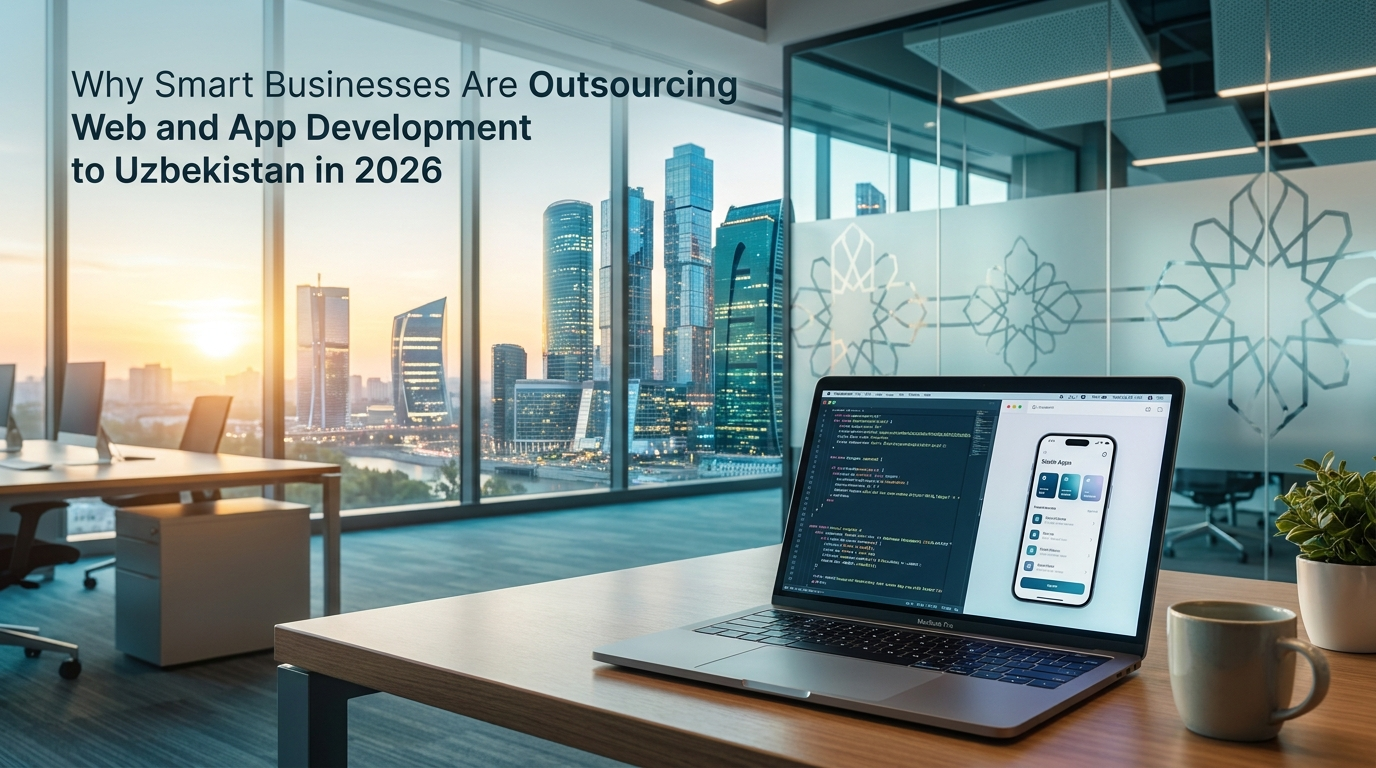
Outsource Web & App Development — Save 60% in 2026
5/15/2026

Outsource Web & App Development — Save 60% in 2026

The $50 billion problem is real: Western businesses routinely overpay for software development. A standard business website costs $15,000 from a US agency. A mobile app? $50,000 or more. A simple Telegram bot? $5,000. These prices reflect expensive office rents and high salaries — not better code. Businesses that discovered outsourcing to Eastern Europe years ago are now looking further east. Ukraine's ongoing instability and rising rates in Poland and Romania have created a gap in the market. That gap is being filled by a country most people overlook: Uzbekistan. Why Uzbekistan? The Numbers Speak A senior full-stack developer in Tashkent earns $1,200 to $2,500 per month. The same developer in Berlin costs $6,000 to $9,000, in San Francisco $10,000 to $15,000. That is a 60 to 80 percent cost reduction. But unlike some low-cost destinations, Uzbek developers are trained in modern frameworks — React, Vue, Django, Flutter, Node.js — and work with the same tools your in-house team uses. Uzbekistan has a population of 36 million, with a median age of 27. The government has invested heavily in IT education since 2017, establishing IT parks, coding bootcamps, and university programs focused on software engineering. The result is a growing pool of developers who are hungry to prove themselves on the global stage. Tashkent sits at UTC+5. For European clients, this means 3 to 4 hours of direct overlap with Central European Time — enough for daily standups and real-time collaboration. For Middle Eastern clients, the overlap is even better at just 1 hour difference. What Can an Uzbek Development Team Actually Build? Custom Websites and Web Applications From responsive landing pages to complex web platforms. We work with Django and Django REST Framework on the backend, Vue.js and React on the frontend. Every site we build is mobile-first, SEO-optimized, and built for performance. Mobile Applications Cross-platform mobile apps using Flutter, giving you native performance on both iOS and Android from a single codebase. We handle everything from UI design to App Store submission. Telegram Bots and Mini Apps This is our specialty. Telegram has over 950 million active users, and businesses across the Middle East, Central Asia, and Eastern Europe are using Telegram bots to automate orders, bookings, and customer support. We build Telegram bots with WebApp interfaces — fully interactive mini-applications that run inside Telegram. These include product catalogs, ordering systems, booking tools, and CRM integrations. For businesses in regions where Telegram dominates, this is often more effective than a standalone mobile app. UI/UX Design Professional design for websites, mobile apps, and marketing materials. We use Figma for all design work, so you get full access to editable design files. AI-Powered Solutions We integrate artificial intelligence into business workflows: AI-generated marketing visuals, automated content creation, chatbots powered by large language models, and workflow automation. If your business has a repetitive process, we can probably automate it. How Our Process Works Discovery call. We start with a free 30-minute video call. You describe what you need, we ask questions, and we give you a rough estimate on the spot. Detailed proposal. Within 48 hours, you receive a written proposal with exact scope, timeline, and fixed price. No hourly billing surprises. Design phase. Our designer creates Figma mockups. You review, comment, and approve before a single line of code is written. Development. Our developers build in 1 to 2 week sprints. You receive progress updates via Telegram or email and can test the work on a staging server at any time. Launch and support. We deploy to production, handle DNS, SSL, server setup. After launch, we offer monthly support packages starting at $50 per month. Pricing: What to Expect ServicePrice RangeTimelineLanding page$300 — $8005-10 daysBusiness website$800 — $2,5002-4 weeksE-commerce website$2,000 — $5,0004-8 weeksMobile app (Flutter)$3,000 — $10,0004-10 weeksTelegram bot with WebApp$400 — $1,5001-3 weeksUI/UX design package$500 — $2,0001-3 weeksAI automation setup$500 — $2,0001-2 weeksMonthly support$50 — $200/monthOngoing These prices include design, development, testing, deployment, and 30 days of post-launch support. No hidden costs. Frequently Asked Questions How do I communicate with your team? Telegram, WhatsApp, email, Zoom, or Google Meet. We respond within 2 hours during working hours. For urgent matters, we are often available outside these hours. What if I am not satisfied with the work? We work in milestones. You review and approve each milestone before we move to the next. If you are not happy at any checkpoint, we revise until you are. Do you sign NDAs? Yes. We sign NDAs, contracts, and any legal documents your business requires. Can you work with my existing codebase? Absolutely. We regularly take over projects from other developers and continue development from where the previous team left off. How do I pay? Wire transfer, PayPal, Visa. We typically require 30 to 50 percent upfront, with the balance due on delivery. What about intellectual property? All code, designs, and assets we create become your property upon final payment. We provide full source code, design files, and documentation. Get Started Today The best way to evaluate us is to start small. Give us a single page, a simple bot, or a quick design task. See the quality, communication, and speed firsthand. Book a free discovery call or tell us what you need — we will send you a free estimate within 24 hours.

Read article →
Professional UI/UX Dizayn Xizmati — Sayt va Ilova Dizayni | OneSystem
4/29/2026

Professional UI/UX Dizayn Xizmati — Sayt va Ilova Dizayni | OneSystem

Professional UI/UX dizayn — bu foydalanuvchi tajribasini yaxshilash va biznesingiz vizual qiyofasini shakllantirish san'ati. Yaxshi dizayn nafaqat chiroyli ko'rinadi, balki mijozlarni jalb qiladi, ularni saytda ushlab turadi va buyurtma berishga undaydi. OneSystem — O'zbekistonda professional UI/UX dizayn xizmatlari ko'rsatuvchi kompaniya. Bizning dizaynerlarimiz sayt, mobil ilova, telegram bot va barcha raqamli mahsulotlaringiz uchun zamonaviy, foydalanuvchilarga qulay va brendingizni yorqin ifodalovchi dizaynlar yaratadi. UI/UX dizayn nima va nima uchun u muhim? UI (User Interface) — foydalanuvchi interfeysi: ranglar, shriftlar, tugmalar, rasmlar, ikonkalar. UX (User Experience) — foydalanuvchi tajribasi: sahifalar orasidagi o'tish, buyurtma berish qulayligi, tushunarliligi. Yaxshi dizaynsiz sayt yoki ilova yaratish — bu chiroyli fasadsiz uy qurish bilan bir xil. Mijozlar birinchi 3 soniyada saytni tark etishadi agar dizayn ularni ishontirmasa. Yaxshi dizayn biznesingizga qanday ta'sir qiladi? Konversiyani oshiradi: Yaxshi UX dizayn buyurtmalar sonini 200-400 foizga oshirishi mumkin. Ishonchni kuchaytiradi: Professional ko'rinish mijozlarda kompaniyangizga nisbatan ishonch uyg'otadi. Vaqtni tejaydi: Intuitiv interfeys mijoz xohlagan narsani tezda topishiga yordam beradi. Google reytingini oshiradi: Foydalanuvchilar saytda ko'proq vaqt o'tkazsa, Google saytingizni yuqori ko'taradi. OneSystem da qanday dizayn xizmatlarini ko'rsatamiz? 1. Veb-sayt dizayni: Korporativ saytlar, landing page, internet do'konlar, portfolio saytlari uchun to'liq UI/UX dizayn. Har bir element foydalanuvchi uchun qulay va estetik jihatdan chiroyli. 2. Mobil ilova dizayni: Android va iOS ilovalar uchun Material Design va Human Interface Guidelines standartlarida zamonaviy interfeys. 3. Brend identifikatsiyasi: Logo, ranglar palitasi, shriftlar, biznes kartochka, letterhead — butun korporativ uslub. 4. Grafik dizayn: Banner, poster, ijtimoiy tarmoqlar uchun kontent dizayni, prezentatsiya. 5. Prototiplash: Ishlanmaga kirishishdan oldin interaktiv prototip yaratamiz — siz hamma narsani oldindan ko'rasiz. 6. Dizayn tizimi: Katta loyihalar uchun izchil komponentlar kutubxonasi. Bizning dizayn jarayonimiz: 1-bosqich: Tadqiqot — Sizning brendingizni, raqobatchilaringizni va maqsadli auditoriyangizni o'rganamiz. 2-bosqich: Wireframe — Sahifalar tuzilmasini eskiz ko'rinishida chizamiz. 3-bosqich: Vizual dizayn — Ranglar, shriftlar va barcha elementlarni qo'shamiz. 4-bosqich: Prototip — Interaktiv, bosish mumkin bo'lgan namunani taqdim etamiz. 5-bosqich: Tuzatishlar — Siz xohlagan o'zgarishlarni kiritamiz. 6-bosqich: Topshirish — Barcha fayllarni Figma, Adobe XD yoki boshqa formatda beramiz. Dizayn narxi: - Landing page dizayni: 500,000 — 1,500,000 som - Korporativ sayt dizayni: 1,000,000 — 4,000,000 som - Mobil ilova dizayni: 1,500,000 — 6,000,000 som - Logo va brend identifikatsiya: 300,000 — 1,500,000 som Biz Figma, Adobe XD, Photoshop, Illustrator kabi professional dasturlardan foydalanamiz. Professional dizayn buyurtma berish va bepul konsultatsiya uchun onesystem.uz ga kiring! O'zbekistonda UI/UX dizayn, sayt dizayni, ilova dizayni, logo yaratish, grafik dizayn, brending xizmatlari — barchasi OneSystem da. Toshkent va butun O'zbekiston bo'ylab xizmat ko'rsatamiz!

Read article →
Telegram Bot Yaratish Xizmati — Biznesingizni Avtomatlashtiring | OneSystem
4/29/2026

Telegram Bot Yaratish Xizmati — Biznesingizni Avtomatlashtiring | OneSystem

Telegram bot yaratish — bugungi kunda O'zbekistonda eng tez rivojlanayotgan raqamli xizmatlardan biri. Telegram foydalanuvchilar soni 100 milliondan oshib ketgan platformada biznesingiz uchun avtomatik assistant yaratish — bu ulkan imkoniyat. OneSystem Telegram botlar yaratish bo'yicha O'zbekistondagi yetakchi kompaniyalardan biri. Biz sizning biznesingiz uchun aqlli, tez javob beruvchi va 24/7 ishlaydigan Telegram botlar yaratamiz. Telegram bot nima va u sizga qanday yordam beradi? Telegram bot — bu avtomatik ravishda foydalanuvchilar bilan muloqot qiladigan, buyurtma qabul qiladigan, savollarga javob beradigan va ko'plab vazifalarni bajaradigan dastur. Bot sizning mijozlaringizga xuddi tirik operator kabi xizmat ko'rsatadi, lekin 24 soat, hech qachon charchamasdan! Telegram bot afzalliklari: 24/7 ishlash: Bot hech qachon uxlamaydi, dam olmaydi. Kechasi soat 3 da ham mijozingizga darhol javob beradi. Xarajatlarni kamaytirish: Bitta bot 10 ta operatorning ishini bajarishi mumkin. Bu oyiga millionlab so'm tejash degani. Tez va aniq javob: Savolga 1 soniyada javob beradi. Mijoz kutishga majbur bo'lmaydi. Ko'plab funksiyalar: Buyurtma qabul qilish, to'lov qabul qilish, yetkazib berish kuzatuvi, narx ro'yxati — barchasi bir botda. Mijozlar bazasi: Botga yozgan har bir foydalanuvchi haqida ma'lumot to'planadi. Qanday Telegram botlar yaratamiz? 1. Biznes botlar — Mahsulot katalogi, buyurtma qabul qilish, to'lov 2. Qo'llab-quvvatlash botlari — FAQ, texnik yordam, muammolarni hal qilish 3. Yangiliklar va kanal botlari — Kanalga post yuborish, obunachi boshqarish 4. O'quv botlari — Test, dars, sertifikat berish 5. Restoran botlari — Menyu, buyurtma, stol band qilish 6. Yetkazib berish botlari — Buyurtma berish, kuzatish, to'lov 7. CRM botlari — Mijozlar bilan muloqot, eslatmalar, statistika 8. Mini ilovalar (Web App) — Botdagi to'liq veb-ilova Telegram bot yaratish jarayoni: 1-bosqich: Siz bilan gaplashamiz, botdan nima kutishingizni aniqlaymiz. 2-bosqich: Bot stsenariylarini — barcha mumkin bo'lgan muloqotlarni — rejalashtirnamiz. 3-bosqich: Dasturchilar botni yozadi va server ga o'rnatadi. 4-bosqich: Testlash — real foydalanuvchi kabi sinab ko'ramiz. 5-bosqich: Botni ishga tushiramiz va sizga topshiramiz. 6-bosqich: Texnik qollab-quvvatlash va yangilanishlar. Telegram bot narxi: - Oddiy ma'lumot boti: 500,000 — 1,500,000 som - O'rta murakkablikdagi bot (buyurtma, to'lov): 1,500,000 — 5,000,000 som - Murakkab CRM boti: 5,000,000 somdan yuqori Bizning botlarimiz quyidagi texnologiyalarda ishlaydi: Python (aiogram), Node.js, webhooklar, ma'lumotlar bazasi integratsiyasi, to'lov tizimlari (Click, Payme, Uzcard). Telegram bot buyurtma berish va bepul konsultatsiya uchun onesystem.uz saytiga kiring! O'zbekistonda telegram bot yaratish, biznes boti, kanal boti, buyurtma boti, avtomatlashtirish xizmatlari — barchasi OneSystem da!

Read article →
Mobil ilova yaratish narxi 2026 — iOS va Android, MVP
4/29/2026

Mobil ilova yaratish narxi 2026 — iOS va Android, MVP

Mobil ilova yaratish — bugungi raqamli biznes dunyosida eng muhim investitsiyalardan biri. Smartfonlar hozir kundalik hayotimizning ajralmas qismiga aylangan. OneSystem — O'zbekistonda Android va iOS uchun professional mobil ilovalar yaratuvchi kompaniya. Biz sizning biznesingiz uchun eng zamonaviy texnologiyalar asosida sifatli, tez ishlaydigan mobil ilovalar ishlab chiqamiz. Nima uchun mobil ilovaga ehtiyoj bor? Statistikaga ko'ra, odamlar vaqtining 90 foizidan ortig'ini smartfonlarida ilovalar orqali o'tkazadi. Mobil ilovasiz biznes — bu potentsial mijozlarni raqiblaringizga berib qo'yish degani. Mobil ilova sizga nima beradi: Mijozlarga qulay xizmat: Mijozlaringiz istalgan vaqt, istalgan joydan sizning xizmatingizdan foydalana oladi. Push xabarnomalar: Mijozlarga yangi takliflar, chegirmalar haqida bevosita ularning telefonlariga xabar yuborasiz. Brendga sodiqlik: O'z ilovangiz bor mijozlar brendingizga ko'proq sodiq bo'ladi. Sotuvlarni oshirish: Ilova orqali buyurtma berish jarayoni soddalashadi va bu to'g'ridan to'g'ri daromadingizni oshiradi. OneSystem da qanday ilovalar yaratamiz? 1. E-commerce ilovalar — Onlayn do'kon, mahsulot katalogi, savat va to'lov tizimi bilan 2. Xizmat buyurtma ilovolari — Taksiga, yetkazib berishga, usta chaqirishga 3. Ovqat yetkazib berish ilovolari — Restaurant va cloud kitchen uchun 4. Fitness va sogliq ilovolari — Mashgulot kuzatuvchi, kaloriya hisoblagich 5. Talim ilovolari — Online kurs, test, dars platformalari 6. Korporativ ilovalar — Xodimlar uchun ichki biznes ilovolari Bizning texnologiyalarimiz: React Native — Bitta kod bazasidan Android va iOS uchun bir vaqtda ilova yaratish imkonini beradi. Bu xarajatlarni ikki barobar kamaytiradi! Flutter — Google tomonidan ishlab chiqilgan, ajoyib dizayn va tez ishlash uchun ideal. Native Development — Murakkab ilovalar uchun Swift va Kotlin. Mobil ilova yaratish jarayoni: 1-bosqich: Tahlil va rejalashtirish — biznesingizni, raqobatchilaringizni tahlil qilamiz. 2-bosqich: UI/UX Dizayn — har bir ekranni professional dizaynerlar chizadi. 3-bosqich: Dasturlash — tajribali dasturchilar ilovani yozadi. 4-bosqich: Test — haqiqiy qurilmalarda test o'tkazamiz. 5-bosqich: App Store va Play Store ga joylash. 6-bosqich: Qollab-quvvatlash va yangilanishlar. Mobil ilova narxi: - Oddiy ilova (3-5 ekran): 3,000,000 — 8,000,000 som - O'rta murakkablikdagi ilova: 8,000,000 — 25,000,000 som - Murakkab platforma: 25,000,000 somdan yuqori Buyurtma berish va bepul konsultatsiya uchun onesystem.uz saytiga kiring! O'zbekistonda Android ilova yaratish, iOS ilova, mobil dastur, app development xizmatlari — barchasi OneSystem da. Toshkent, Samarqand, Namangan va butun O'zbekiston bo'ylab xizmat ko'rsatamiz!

Read article →
O'zbekistonda Professional Sayt Yaratish Xizmati | OneSystem
4/29/2026

O'zbekistonda Professional Sayt Yaratish Xizmati | OneSystem

O'zbekistonda professional sayt yaratish — bu bugungi kunda har qanday biznes uchun eng muhim qadamlardan biri. Agar siz o'z biznesingizni internet orqali rivojlantirmoqchi bo'lsangiz, sifatli va tez ishlaydigan sayt sizga yangi mijozlar jalb qilishda katta yordam beradi. OneSystem — O'zbekistondagi eng ishonchli web dasturlash kompaniyalaridan biri. Biz sizga professional, tez yuklanadigan va Google qidiruv tizimida yuqori o'rin egallashga mo'ljallangan saytlar yaratamiz. ## Nima uchun saytga ehtiyoj bor? Bugungi raqamli dunyoda mijozlarning 90% dan ortig'i xizmat yoki mahsulot izlashda internetdan foydalanadi. Agar sizning biznesingiz onlaynda mavjud bo'lmasa, siz ko'plab potentsial mijozlarni yo'qotayapsiz. Professional sayt quyidagi afzalliklarni beradi: - **24/7 ishlaydigan do'kon**: Saytingiz kecha-kunduz, dam olish kunlari ham ishlaydi va mijozlar istalgan vaqt ma'lumot olishi mumkin. - **Ishonchlilik**: Professional ko'rinishdagi sayt mijozlarda sizning kompaniyangizga ishonch uyg'otadi. - **Google orqali yangi mijozlar**: SEO optimizatsiya qilingan sayt orqali Google'da birinchi sahifada chiqasiz va bepul trafik olasiz. - **Raqobatchilardan ustunlik**: Ko'p korxonalar hali ham sifatli saytga ega emas — bu sizga katta imkoniyat. ## OneSystem bilan sayt yaratish afzalliklari **Tez va sifatli ishlanma** Biz har bir loyihani professional yondashuv bilan bajaramiz. Saytingiz tez yuklanadi, barcha qurilmalarda (mobil, planshet, kompyuter) to'g'ri ko'rinadi va foydalanuvchilarga qulay bo'ladi. **SEO optimizatsiya** Saytimiz dastlab SEO talablariga mos holda ishlanadi. Bu degani Google, Yandex va boshqa qidiruv tizimlari saytingizni oson topadi va yuqori o'rin beradi. **Zamonaviy dizayn** Har bir sayt unikal va biznesingiz ruhiga mos dizaynda ishlashimiz biz uchun standart. Biror shablondan foydalanmaymiz — faqat original, moslashtirilgan dizayn. **Xavfsizlik** SSL sertifikat, xavfsiz to'lov tizimlari va ma'lumotlarni himoya qilish — bularning barchasi bizning har bir saytimizda mavjud. **Arzon narxlar** Biz O'zbekistondagi boshqa kompaniyalarga nisbatan raqobatbardosh narxlarda xizmat ko'rsatamiz. Siz yuqori sifatni qulay narxda olasiz. ## Qanday turdagi saytlar yaratamiz? OneSystem turli xil sayt turlarini yaratishda katta tajribaga ega: 1. **Korporativ saytlar** — Kompaniya yoki tashkilot uchun professional taqdimot saytlari 2. **Internet do'konlar** — Mahsulot yoki xizmatlarni onlayn sotish uchun to'liq e-commerce platformalar 3. **Landing page** — Bitta xizmat yoki mahsulotni sotish uchun mo'ljallangan yuqori konversiyali sahifalar 4. **Portfolio saytlari** — Fotograf, dizayner, arxitektor va boshqa mutaxassislar uchun 5. **Blog va yangiliklar portallari** — Mazmunli kontentlar orqali auditoriya yig'ish uchun 6. **Davlat va ta'lim muassasalari saytlari** — Maxsus talablarga javob beradigan rasmiy saytlar ## Sayt yaratish jarayoni Biz bilan ishlash juda qulay va shaffof: **1-bosqich: Muloqot va tahlil** Siz bilan uchrashamiz (yoki onlayn muloqot qilamiz) va biznesingiz, maqsadlaringiz hamda saytdan kutilgan natijalarni aniqlaymiz. **2-bosqich: Dizayn konsepsiyasi** Bizning tajribali dizaynerlarimiz saytingizning ko'rinishini — ranglarini, shriftlarini, tuzilmasini — yaratadi va sizga taqdim etadi. **3-bosqich: Dasturlash** Tasdiqlangan dizayn asosida dasturchilarimiz saytni to'liq ishga tushiradi. Backend, frontend, admin panel — hammasi. **4-bosqich: Test va topshirish** Sayt barcha qurilmalarda va brauzerlarda tekshiriladi, xatoliklar bartaraf etiladi va sizga topshiriladi. **5-bosqich: Qo'llab-quvvatlash** Saytingiz ishga tushgandan keyin ham biz siz bilan birga bo'lamiz. Texnik yordam, yangilanishlar, kengaytmalar — barchasi uchun tayyor. ## Sayt yaratish narxi qancha? Sayt narxi uning murakkabligiga, kerakli funksiyalarga va muddatiga qarab farqlanadi. Biz har bir mijoz uchun individual narx taklif qilamiz. Taxminiy narxlar: - Landing page: 500,000 — 1,500,000 so'm - Korporativ sayt: 1,500,000 — 5,000,000 so'm - Internet do'kon: 3,000,000 — 15,000,000 so'm Aniq narxni bilish uchun biz bilan bog'laning — bepul maslahat beramiz! ## Bizga qanday murojaat qilsa bo'ladi? Sayt yaratish haqida maslahat olish yoki buyurtma berish uchun: - **Telegram**: @onesystem_uz - **Sayt**: onesystem.uz - **Telefon**: Saytdagi kontakt orqali Bepul konsultatsiya oling va bugun biznesingizni internetga olib chiqing! OneSystem — O'zbekistonda professional sayt yaratish, web dasturlash, mobil ilova va telegram bot yaratish xizmatlari. Bizga ishoning — biz sizning raqamli kelajagingiz uchun ishlashga tayyormiz!

Read article →
🚀 SEO va Google Ads: Biznesingizni qanday tez va barqaror o‘sishga olib chiqadi?
4/17/2026

🚀 SEO va Google Ads: Biznesingizni qanday tez va barqaror o‘sishga olib chiqadi?

olib chiqadi? Bugungi kunda har qanday biznes uchun eng muhim savol: “Mijozlarni qayerdan topaman?” Javob oddiy: 👉 Google orqali Ammo Google’da chiqishning 2 xil asosiy yo‘li bor: 🔍 SEO (Search Engine Optimization) 💰 Google Ads (Reklama) Keling, har birini tushuntirib, biznes uchun qanday foyda berishini ko‘rib chiqamiz. 🔍 SEO (Search Engine Optimization) nima va foydasi SEO — bu sizning websaytingizni Google’da organik (reklamasiz) yuqori o‘rinlarga olib chiqish jarayoni. 📈 SEO sizga nima beradi? ✅ Doimiy bepul trafik Saytingiz yuqoriga chiqqandan keyin reklama uchun pul to‘lamaysiz ✅ Ishonchli mijozlar Odamlar reklama emas, real natijani tanlaydi ✅ Brend kuchayadi Google’da yuqorida chiqish — bu ishonch belgisi ✅ Uzoq muddatli foyda Bir marta to‘g‘ri SEO qilinsa, yillar davomida ishlaydi 💰 Google Ads nima va foydasi Google Ads — bu pullik reklama bo‘lib, sizni Google’da darhol 1-o‘ringa chiqaradi ⚡ Google Ads sizga nima beradi? ✅ Tez natija Bugun reklama yoqsangiz, bugun mijoz keladi ✅ Aniq target Kimga reklama ko‘rsatishni o‘zingiz tanlaysiz ✅ Sotuvni oshiradi To‘g‘ri sozlansa, daromadni tez oshiradi ✅ Test qilish imkoniyati Qaysi xizmat ishlayotganini tez bilasiz 🆚 SEO vs Google Ads — qaysi biri yaxshiroq? SEO Google Ads Sekin boshlanadi Darhol ishlaydi Bepul trafik Pullik trafik Uzoq muddatli Qisqa muddatli Brendni kuchaytiradi Tez sotuv beradi 👉 Eng to‘g‘ri strategiya: ikkalasini birga ishlatish 💡 Nega biznesingizga bu juda muhim? Agar sizda: Website bo‘lsa Xizmat yoki mahsulot bo‘lsa Mijozlar kerak bo‘lsa 👉 SEO + Google Ads = doimiy mijoz oqimi 📊 Real natija qanday bo‘ladi? To‘g‘ri strategiya bilan: 🚀 Trafik 3-10 baravar oshadi 💰 Sotuvlar ko‘payadi 📞 Murojaatlar ko‘payadi 🧠 Brend tanilishi oshadi 🔥 Xulosa Agar siz biznesingizni o‘stirmoqchi bo‘lsangiz: 👉 SEO — bu fundament 👉 Google Ads — bu tezlashtirgich Birgalikda esa ular sizga kuchli marketing tizimi beradi 📞 Biz bilan bog‘laning Agar sizga: SEO xizmatlari Google Ads reklama sozlash Website optimizatsiya kerak bo‘lsa, biz yordam beramiz 👇 📱 Telefon: +998 91 121 90 15 💬 Telegram: @AlimardonBoqijonov 🌐 Website: onesystem.uz

Read article →
Mobil ilova yaratish xizmati Toshkentda – Professional App Development 2026
4/11/2026

Mobil ilova yaratish xizmati Toshkentda – Professional App Development 2026

Bugungi raqamli davrda mobil ilova — bu shunchaki trend emas, balki biznesni rivojlantirish uchun zarur vositadir. Agar siz Toshkentda biznes yuritayotgan bo‘lsangiz, mobil ilova orqali mijozlarga tez va qulay xizmat ko‘rsatish imkoniyatiga ega bo‘lasiz. Shu sababli ko‘plab tadbirkorlar quyidagi savolni berishadi: 👉 Mobil ilova yaratish xizmati qanday ishlaydi va nimani o‘z ichiga oladi? 📱 Mobil ilova yaratish xizmati nimani o‘z ichiga oladi? Professional app development xizmati quyidagi bosqichlardan iborat: 1. Tahlil va rejalashtirish Biznesingizni o‘rganish Texnik topshiriq (TZ) tayyorlash Ilova funksiyalarini aniqlash 2. Dizayn (UI/UX) Zamonaviy va qulay interfeys Foydalanuvchi tajribasiga mos dizayn 3. Dasturlash (Development) Android va iOS ilovalar Backend (server, API) Database va xavfsizlik 4. Test qilish Xatolarni aniqlash Barqaror ishlashni tekshirish 5. Joylash va qo‘llab-quvvatlash Play Market / App Store joylash Texnik support 🚀 Qanday bizneslar uchun mobil ilova kerak? Mobil ilova quyidagi yo‘nalishlar uchun juda foydali: 🛒 Online do‘konlar (e-commerce) 🍔 Oziq-ovqat yetkazib berish (delivery) 🎓 O‘quv markazlari 🚕 Taksi va xizmat ko‘rsatish servislar 🏢 CRM va ichki tizimlar 💰 Mobil ilova yaratish xizmatining qiymati Narx loyihaning murakkabligiga qarab belgilanadi: Oddiy ilovalar: 5 mln – 15 mln so‘m O‘rta darajadagi ilovalar: 15 mln – 50 mln so‘m Murakkab tizimlar: 50 mln so‘m va undan yuqori 👉 Har bir loyiha alohida baholanadi ⚠️ Mobil ilova buyurtma berishda xatolar Ko‘pchilik quyidagi xatolarga yo‘l qo‘yadi: ❌ Faqat arzon variantni tanlash ❌ Backend tizimni hisobga olmaslik ❌ UX/UI ga e’tibor bermaslik 👉 Natijada ilova ishlamaydi yoki foyda bermaydi 🧠 Qanday qilib to‘g‘ri ilova buyurtma qilish kerak? Quyidagilarga e’tibor bering: Tajribali jamoa Oldingi loyihalar (portfolio) Texnik yechimlar Qo‘llab-quvvatlash mavjudligi 💡 Biz nima taklif qilamiz? Biz Infonex jamoasi sifatida: Android va iOS ilovalar yaratamiz Tez va scalable backend tizimlar Zamonaviy UI/UX dizayn To‘liq texnik support 👉 Sizga biznesingiz uchun tayyor va ishlaydigan yechim beramiz 📞 Xulosa Mobil ilova — bu biznesingizni keyingi bosqichga olib chiqadigan kuchli vosita. Agar siz Toshkentda mobil ilova yaratish xizmati izlayotgan bo‘lsangiz: 👉 to‘g‘ri jamoani tanlash — eng muhim qaror 📲 Bog‘laning: Telefon: +998911219015 Telegram: @AlimardonBoqijonov

Read article →
Website Development Cost in Tashkent 2026 — Full Guide | OneSystem
4/11/2026

Website Development Cost in Tashkent 2026 — Full Guide | OneSystem

Website development in Tashkent: what the price is actually made of Every business needs a website today. If you run a business in Tashkent, a large share of your customers find you through Google — before anyone calls you, they search first and compare a few options. So the question we hear most often is simple: how much does a website cost? The word "website" covers both a single-page presentation and an online store with thousands of products. The amount of work differs by an order of magnitude, and so does the price. This guide explains what shapes the price, what the typical ranges in Tashkent look like, how to compare quotes, and what to prepare before you commission anything. What does the price of a website depend on? Price is measured by volume of work rather than page count. In practice, five factors decide most of the budget. 1. Type of site Landing page (single-page site): built to sell one product or one service. It leads the visitor toward a single action — a call or an enquiry. If you already have an advertising budget but nowhere to send the traffic, this is the fastest and most affordable start. Corporate website: company, services, portfolio and contacts. Its job is to build trust before the sale. For businesses dealing with tenders and larger clients it is close to mandatory. Online store: catalogue, filters, cart, online payment, delivery and order management. What gets built here is not a website but an entire sales system — hence the higher price. Custom platform: a booking system, internal portal, CRM or SaaS. There is no off-the-shelf answer; everything is designed around your process and quoted individually. 2. Design A ready-made template is cheaper: the site launches quickly, but it looks like dozens of others and the structure can only be changed within limits. Custom design costs more because every screen is drawn from scratch — block order, colours, button states, mobile and desktop versions. In return the site matches your brand and converts more of the same traffic into enquiries. 3. Features Every feature is separate development, testing and maintenance. The ones that move the price most: Payment systems: Click, Payme and similar integrations — connection, test payments and error handling. CRM integration: an enquiry from the site lands straight in your CRM system , so no lead gets lost. Telegram bot: a Telegram bot is often added alongside the site as an extra sales and notification channel. User accounts and roles: registration, order history, different permissions for different staff. Multiple languages: each extra language is not just translation — it means separate page addresses, meta tags and ongoing updates. 4. Content This is where most projects stumble: design done, development done, but no copy, photos or product descriptions — and the site sits "almost finished" for weeks. Whether you supply the content or the team prepares it affects both price and timeline. 5. SEO and speed Optimisation for Google and fast loading are not an add-on at the end; they are the foundation laid at the start. Correct headings, meta tags, a sitemap and optimised images are cheap when built into the project, and considerably more expensive when a finished site has to be rewritten. Website prices in Uzbekistan (2026) Typical ranges in Tashkent look like this: Landing page: UZS 1–3 million Corporate website: UZS 3–10 million Online store: UZS 5–20 million The price moves with project complexity. The bottom of a range usually means close-to-template design, content you already have and minimal integrations; the top means custom design, several languages, payment and CRM integrations, a complex catalogue or a customer account area. That is why quotes should be compared by the list of work inside them, not by the number on the front. Costs that continue after launch When planning a budget, count the cost of keeping the site alive, not just building it: Domain, hosting and SSL: renewed annually; make sure the domain is registered in your name. Content updates: new products, promotions, articles — a site has to stay alive. SEO and advertising: a website does not bring customers on its own; it has to be shown in search or in ads. Technical support: updates, backups and small changes. What is included and what is quoted separately The following is part of the project when we build it: choosing a suitable domain and setting up hosting — both registered in your name; an admin panel plus training on it, so you change text and images without a developer; the technical SEO foundation: speed, mobile-friendliness, meta tags, sitemap and structured data; testing on every device, deployment to your domain and submission to Google; a warranty period after delivery, during which any bugs found are fixed free of charge; after full payment the code, design files and documentation become yours; we sign an NDA where needed. Usually agreed separately: professional photography, copywriting and translation, ongoing SEO, advertising budget, and new features added after handover. How to compare quotes If three companies give you three different numbers, ask these questions — the difference becomes visible immediately: Is the price fixed or hourly, and in which cases does it change? How many pages, how many design mockups and how many revisions are included? Is there an admin panel, and can you use it without help? Who prepares the content — you or the agency? Are technical SEO and speed optimisation part of the work? How long is the warranty period and what does it cover? Who keeps the code and the access credentials when the project ends? If the answers are verbal, ask for them in the written proposal. A written scope prevents most later disputes. What to prepare before commissioning A prepared client gets a faster and cheaper project. Bring the following to the first meeting: The goal of the site: enquiries, calls, online sales or presentation — pick one primary goal. Who your customer is: what language they read in, whether they arrive from a phone or a computer. A list of services or products: the section structure grows out of it. 3–5 sites you like: with one sentence on what exactly you liked. Existing materials: logo, brand colours, photos, price list, descriptions. A budget range: an exact figure is not needed, a range is enough. The process and the timeline The process should be transparent: you see and approve the result of every stage. Discovery: we study your business, customers and competitors, and define what the site must achieve. Structure and design: page structure and design mockups — you review and approve. Development: the design becomes a working site — frontend, backend and admin panel. Testing and launch: tested on every device, deployed to your domain and submitted to Google. Timelines are typically: a landing page 7–10 days, a corporate site 2–4 weeks, an online store 4–8 weeks. What stretches a schedule most is late content and slow approvals, so preparing materials in advance directly saves time. Common mistakes when ordering a website Choosing the cheapest option: the money saved usually goes into rebuilding the site a year later. Ignoring SEO: a site with no search foundation simply is not visible on Google. Overlooking the mobile version: over 70% of traffic comes from phones. Accepting a site with no admin panel: every small edit then goes through a developer. Leaving content until last: a site cannot be delivered without copy, and the deadline slips. Registering the domain and hosting under the agency: moving the site later becomes a problem. The outcome is the same in every case: there is a website, but no customers. How to choose the right website In the final decision look at five things: responsive design, loading speed, SEO built in from the start, easy management through an admin panel, and analytics connected — if you do not know which page brings enquiries, you cannot know what to improve. What we offer The OneSystem team delivers modern design, a fast and optimised site, SEO-ready code from day one, and integrations with CRM and payment systems. The stages and frequently asked questions are set out in detail on our website development page, and timelines in the article on business website development . Frequently asked questions How is the price of a website calculated? It depends on the number of pages, design complexity and the features you need. Tell us the requirements and we send a firm quote within one business day. How long does it take to build a website? Typically a landing page 7–10 days, a corporate site 2–4 weeks, an online store 4–8 weeks. The exact timeline depends on page count and features. Who handles the domain and hosting? We do: choosing a domain and setting up hosting is part of the service, and both are registered in your name. Can I edit the site myself afterwards? Yes. Every site ships with an admin panel and we train you on it — you add text, images and news yourself. Will the site appear on Google? The technical SEO foundation — speed, mobile-friendliness, meta tags, sitemap — is done for every site. For consistently high rankings we also offer a dedicated SEO service. How does payment work? We usually ask for 30–50% upfront and the remainder on delivery. Code, design files and documentation become yours after full payment. In summary If you are planning to build a website in Tashkent, the important part is comparing the work behind the number rather than the number itself, and choosing the right team. A good website means more customers and more revenue. Getting an exact price for your project is easy: leave a request at onesystem.uz — the consultation is free. Phone: +998 91 121 90 15 Telegram: @OneSystem_uz

Read article →